
Permissions and Security
The right access for every board, committee, and person
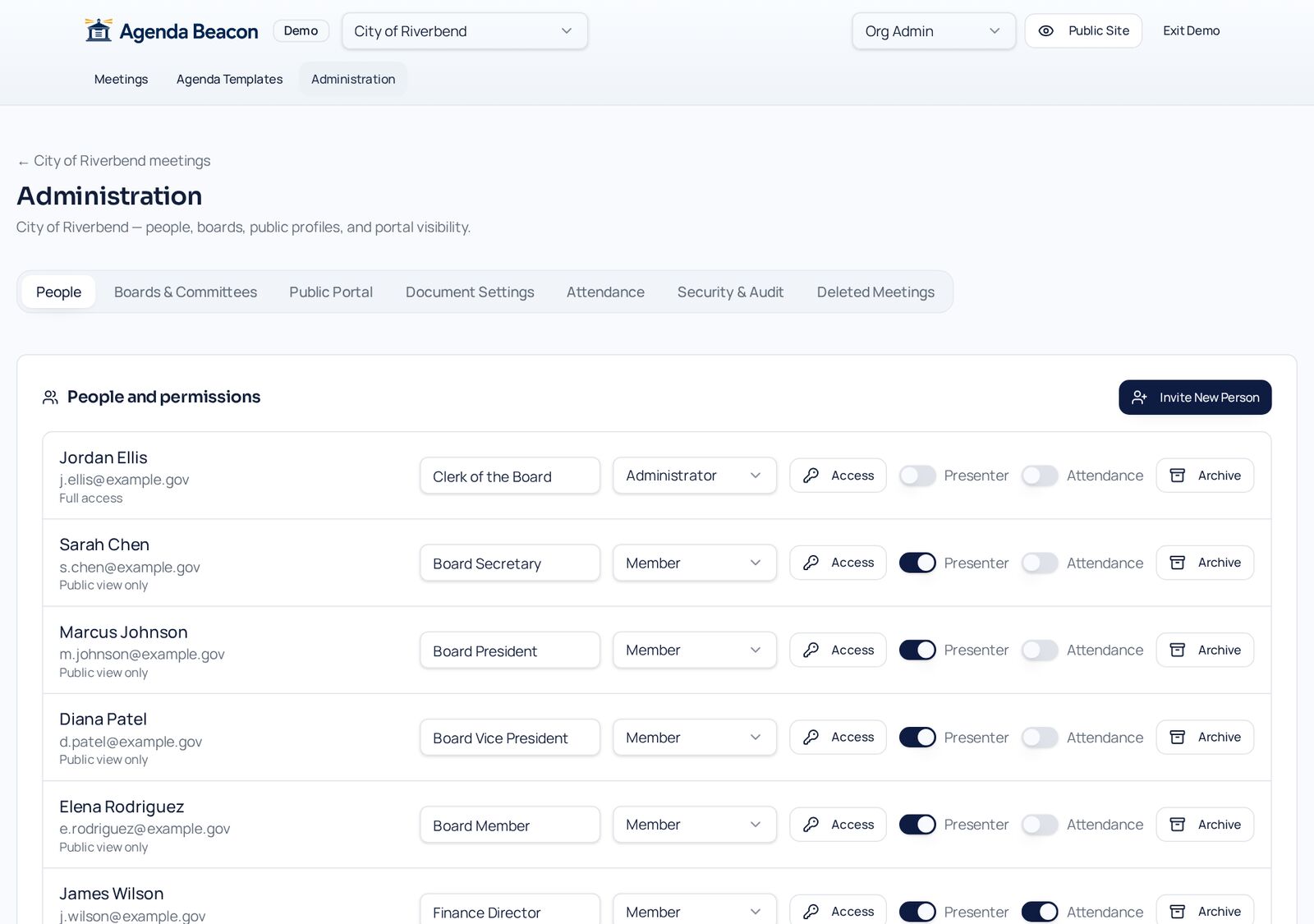
Give each person Viewer, Editor, or Moderator access per board or committee. Archive people when terms end, and keep a permanent audit trail of every change.
How it works
Step by Step in the Sample City
Invite people
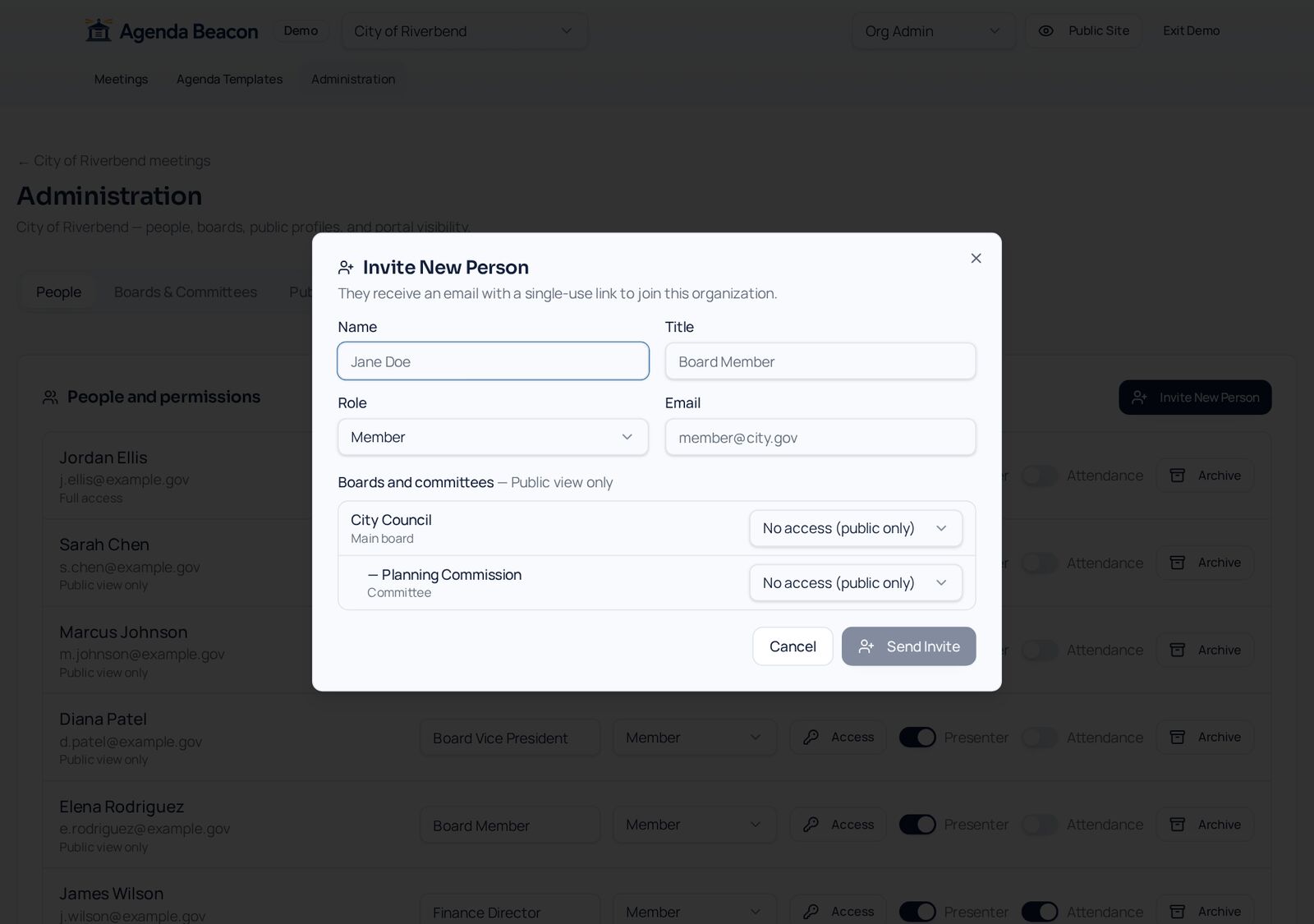
Invite New Person collects name, title, role, and email, with an access dropdown for every board and committee.
Set access per board
Each person gets Viewer, Editor, or Moderator access separately for the City Council and the Planning Commission.
Organize boards and committees
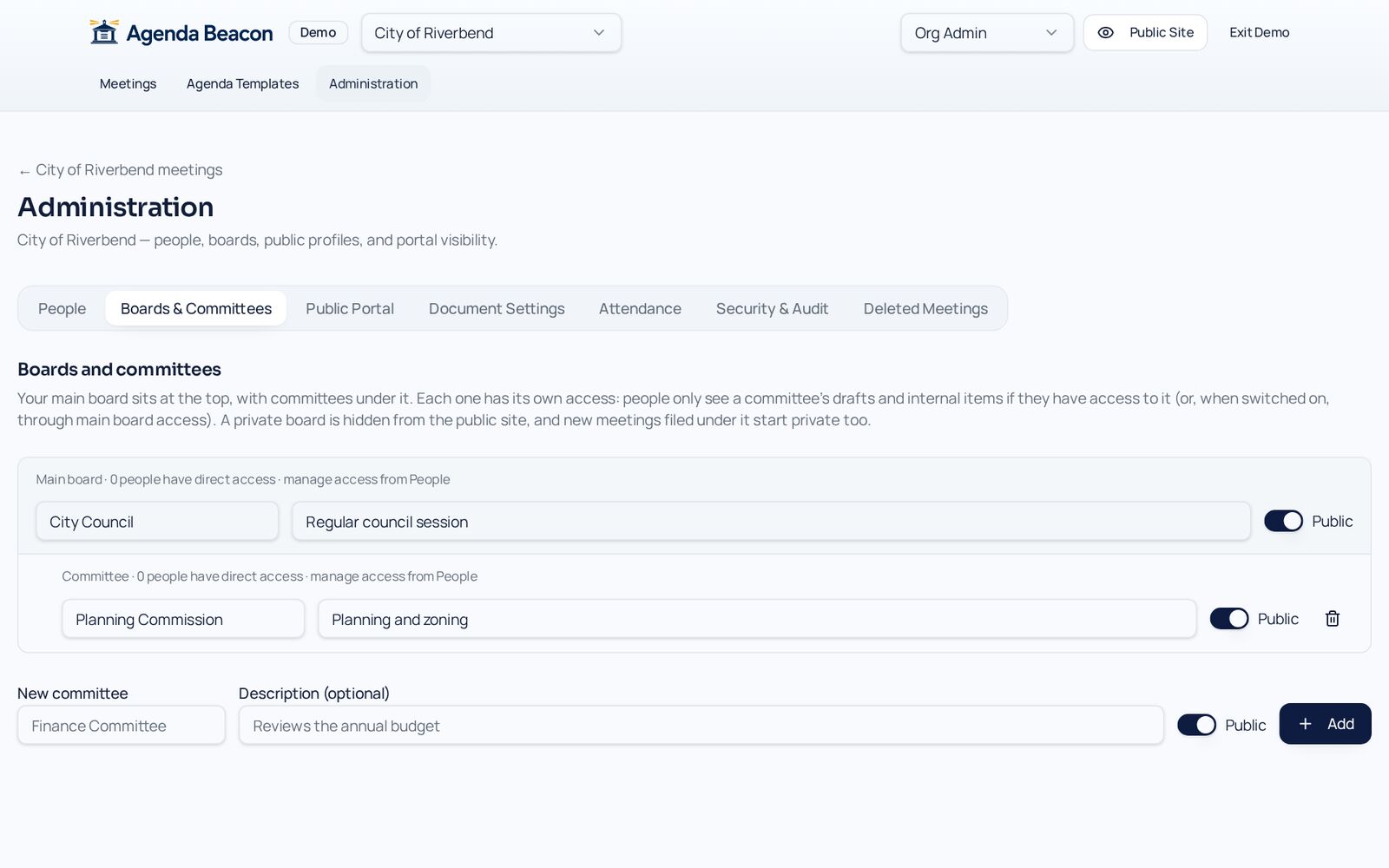
Committees sit under the main board and can each be public or private.
Review the audit trail
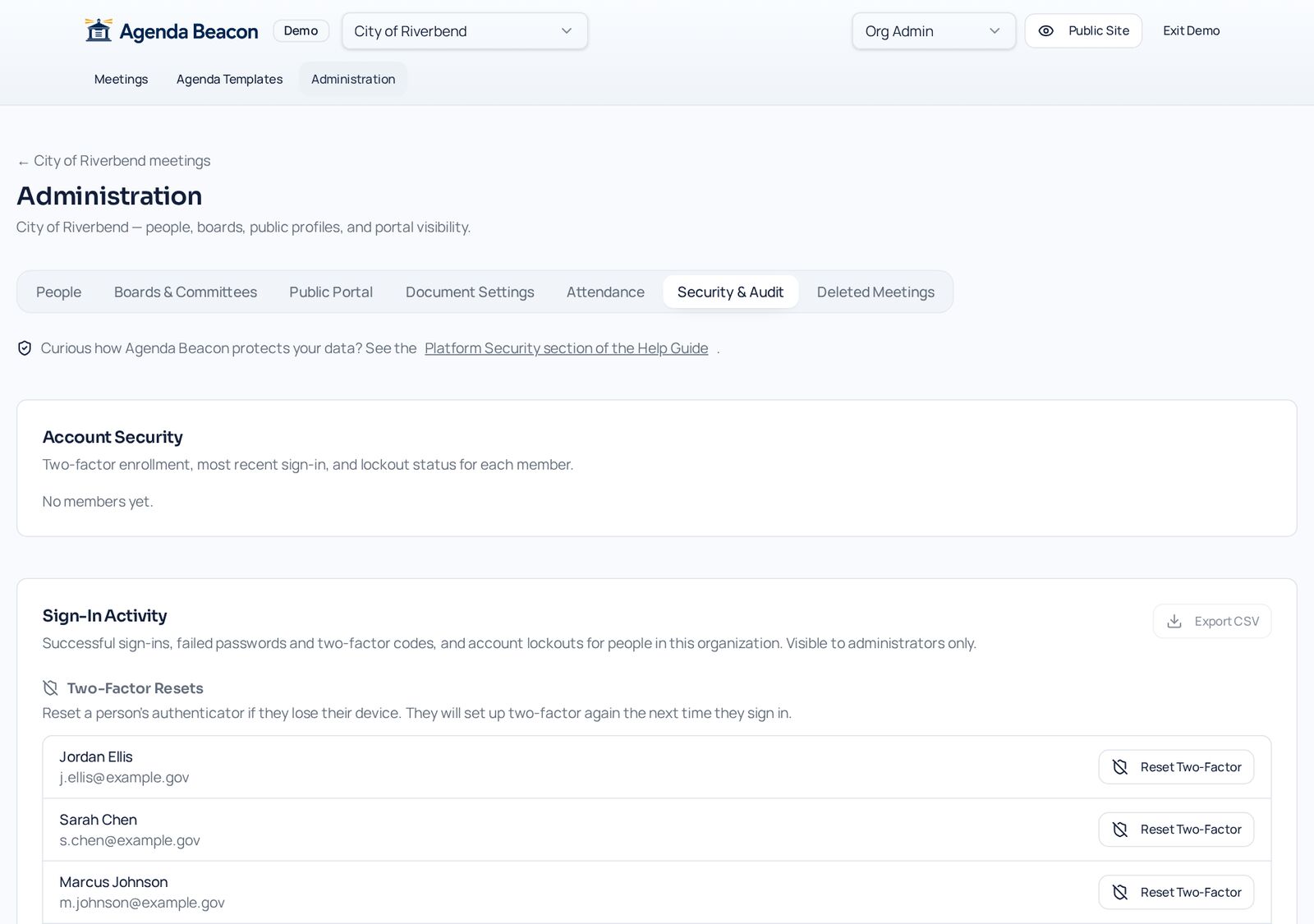
Sign-in activity, two-factor resets, permission changes, and document visibility changes are all recorded.
Per-board access
Committee members see their committee — not the main board's internal material — unless you grant it.
Archive, never delete
When terms end, archive the person. They are locked out immediately and their history stays intact.
Audit trails
Permission changes and document visibility changes are logged automatically and can be exported.
Secure sign-in
Two-factor authentication, sign-in lockouts, and automatic sign-out after inactivity.
Hold open meetings too? See open meetings vs. fully private
- Viewer, Editor, Moderator roles
- Invitations with suggested access
- Only admins can restore archived people
- Exportable audit logs
Screens
See It in the City of Riverbend
Real Agenda Beacon screens filled with fictional sample data. Click any screen to enlarge it.
Common Questions
- Can committee members see main-board items?
- Only if you give them access to the main board in People. Committee access never spills over automatically.
- What happens when someone's term ends?
- Archive them. They are locked out immediately, and only an administrator can restore them. Their history stays.
- Is two-factor required?
- Yes, for signed-in users. Administrators can reset a member's two-factor if they lose their device.
Instant access
Try It in the Demo
Tell us who you are and the sandbox opens immediately, with sample city council, school board, and nonprofit data.