
Minutes and Attendance
Take attendance and prepare minutes without starting from scratch
Board members appear on the roll automatically. Mark Present, Remote, Absent, or Excused, then generate a minutes outline from the agenda and finish the draft.
How it works
Step by Step in the Sample City
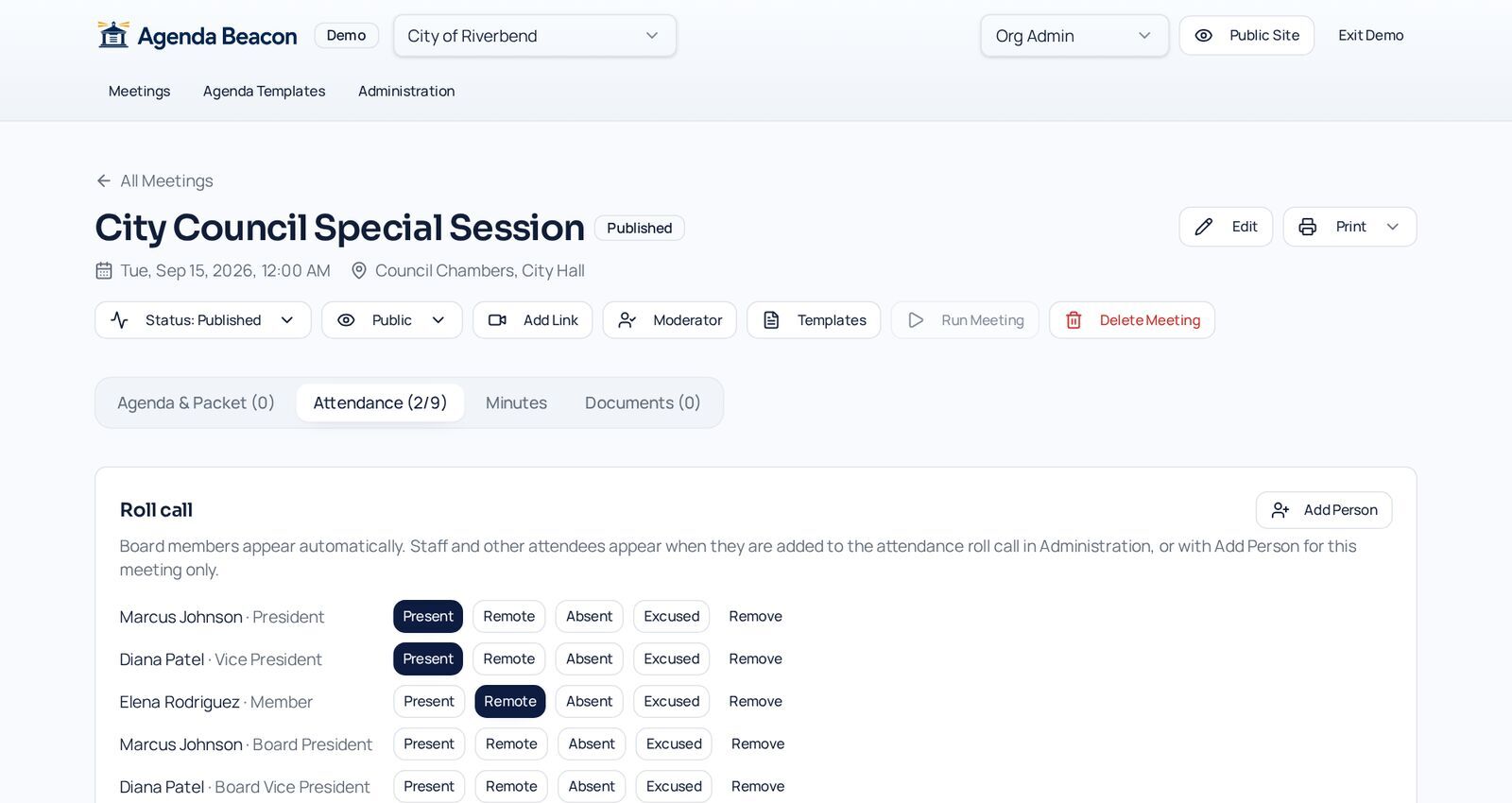
Take roll
Board members appear automatically. Mark each person Present, Remote, Absent, or Excused, and add guests.
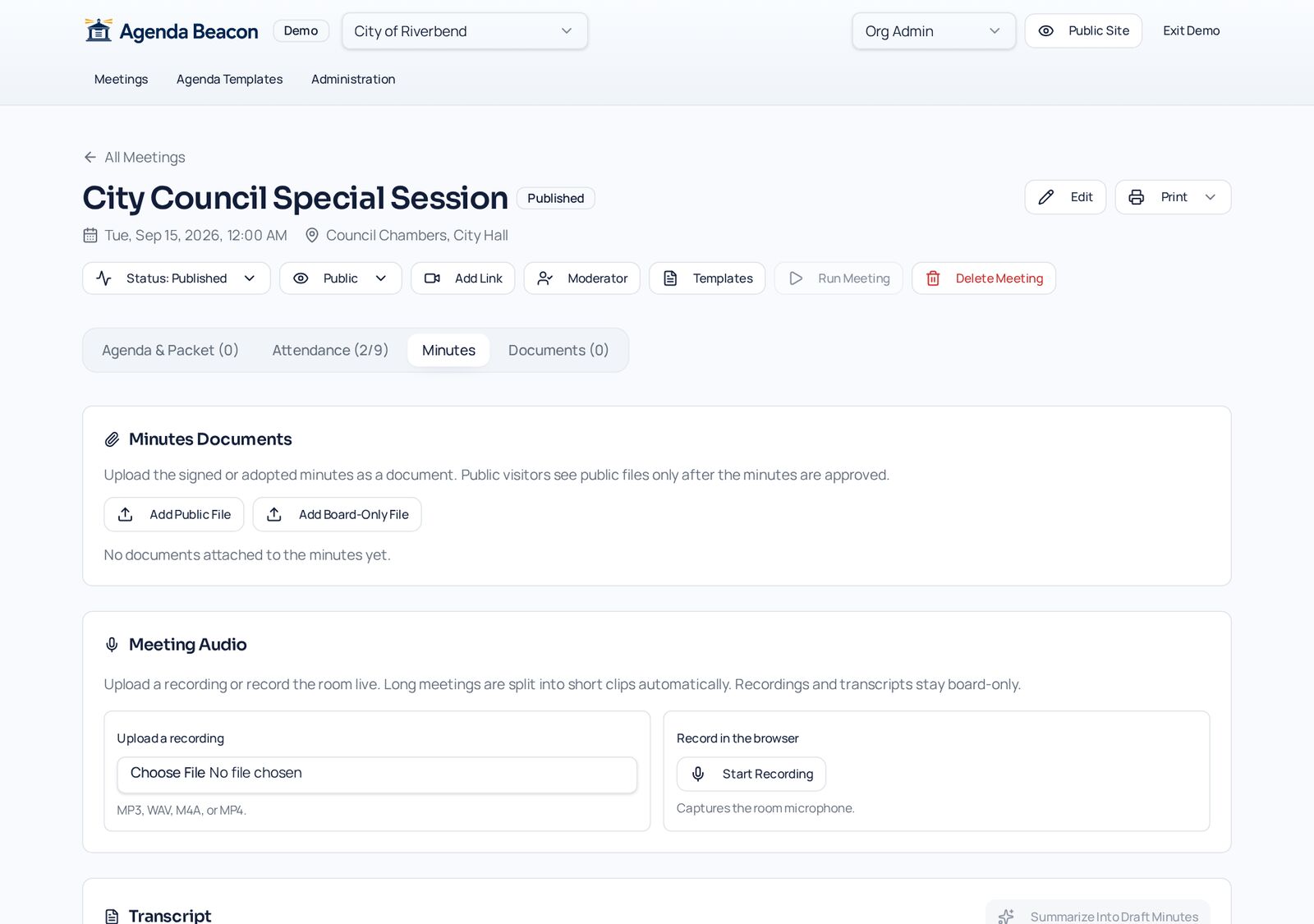
Prepare the minutes
Generate an outline from the agenda, upload signed minutes, or record meeting audio.
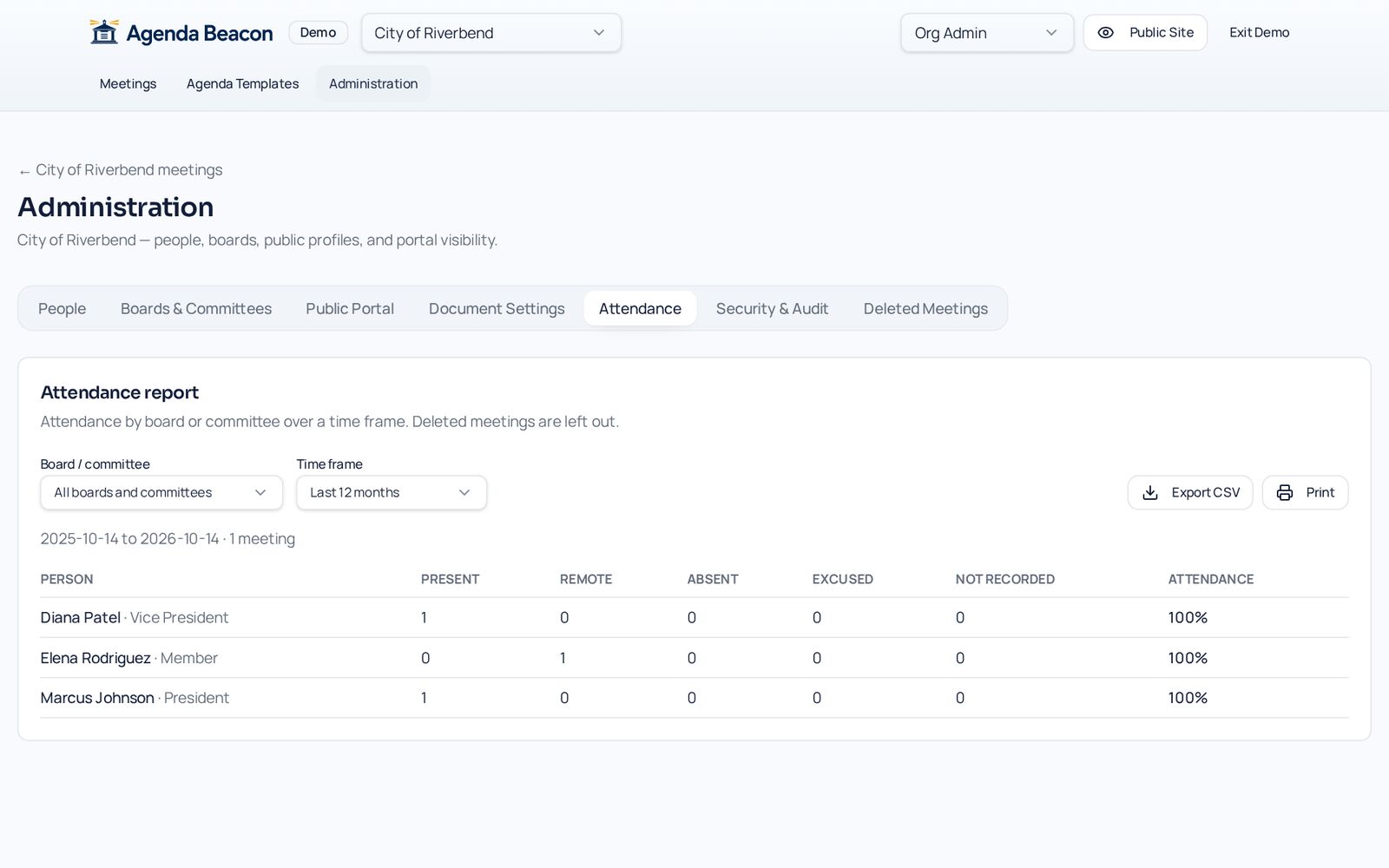
Report attendance
The Attendance report shows each person's record over any time frame, with CSV export.
Automatic roll
Each board's members are listed for every meeting. Add guests or staff who attended.
Minutes from the agenda
Generate an outline that follows the agenda, with motions and votes already filled in.
Draft and approve
Keep minutes in draft until they are approved, then publish them with the meeting.
Attendance report
See attendance across meetings for any board and date range.
- Present, Remote, Absent, Excused
- Minutes attachments
- Public or members-only minutes
- Searchable after approval
Screens
See It in the City of Riverbend
Real Agenda Beacon screens filled with fictional sample data. Click any screen to enlarge it.
Common Questions
- Can staff appear on the roll?
- Yes. Turn on Attendance for any person or presenter in Administration, or add someone for one meeting only.
- When do minutes become public?
- Only after they are approved and the meeting is published to the public.
- Can I export attendance?
- Yes, as a CSV file or a printout, for any board and date range.
Instant access
Try It in the Demo
Tell us who you are and the sandbox opens immediately, with sample city council, school board, and nonprofit data.